

The admin app for trainers, coaches and instructors
Keep your clients. Always know who owes you. See what you really earn. Ditch Excel and the paper notebook. On your phone and computer, in sync.
Attendlr is your whole training admin in one place: class types, sessions, clients, attendance sheet, passes, payments, products, expenses, stats and much more. During class you mark attendance with one tap, the app takes a session off the pass, books the income, and tells you when someone owes you or starts slipping away. Nothing left to type up in the evening. Your whole training admin in one place. Attendance is one tap, the app handles the rest.
Free for up to 10 students. No trial clock, no card.
Built by a trainer who runs his own 1,600+ student roster on it, every day.


What you get out of it
More clients, more money, more free evenings
Attendlr was built by a trainer whose group and private sessions grew past 1,600 students, and who still teaches with it every day. This is what it changes in a normal week.
Who chooses Attendlr?
- Personal trainers
- Group fitness instructors
- Martial arts instructors
- Yoga and Pilates instructors
- Dance teachers
- Swimming coaches
- Climbing coaches
- Team and kids' sports coaches
- Private tutors
- Language teachers
- Music teachers
- Coaches
- Massage therapists
- Nutritionists
- Physiotherapists
- Psychologists
Attendance & passes
One tap on a name. That's the whole admin.
Search, tap, done
Mark attendance mid-class. No save button, no forms. Add one student, or the whole room at once.
- Record both bookings and attendance, separately for each student
- Pull in the roster of any of your last 10 sessions in one tap Basic
- Copy a session to next week or any day in one tap, attendees included
- Add any session to your Google Calendar
- Recurring sessions: weekly or every 2 weeks on the days you pick, a whole term ahead Basic
- Attendee breakdown for each session: age, gender, nationality, tags and visit number Pro
- Exercises on each session: pick from your own exercise library, adjust sets, reps, weight or time for that day Pro
- Notes per student for every session: what you did and what comes next, shown as a timeline on their profile Pro
- Goals and levels per student: the Progress tab shows the whole path, measurable goals on a chart, and you can filter by level Pro
- Files for your students: photos and PDFs such as homework or a training plan, uploaded once and attached to as many students as you like Pro
- Calendar sync: your sessions keep themselves up to date in Google, Apple or Outlook calendar Premium
- Class called off? When you cancel it, you decide whose pass gets charged
That same tap does the books
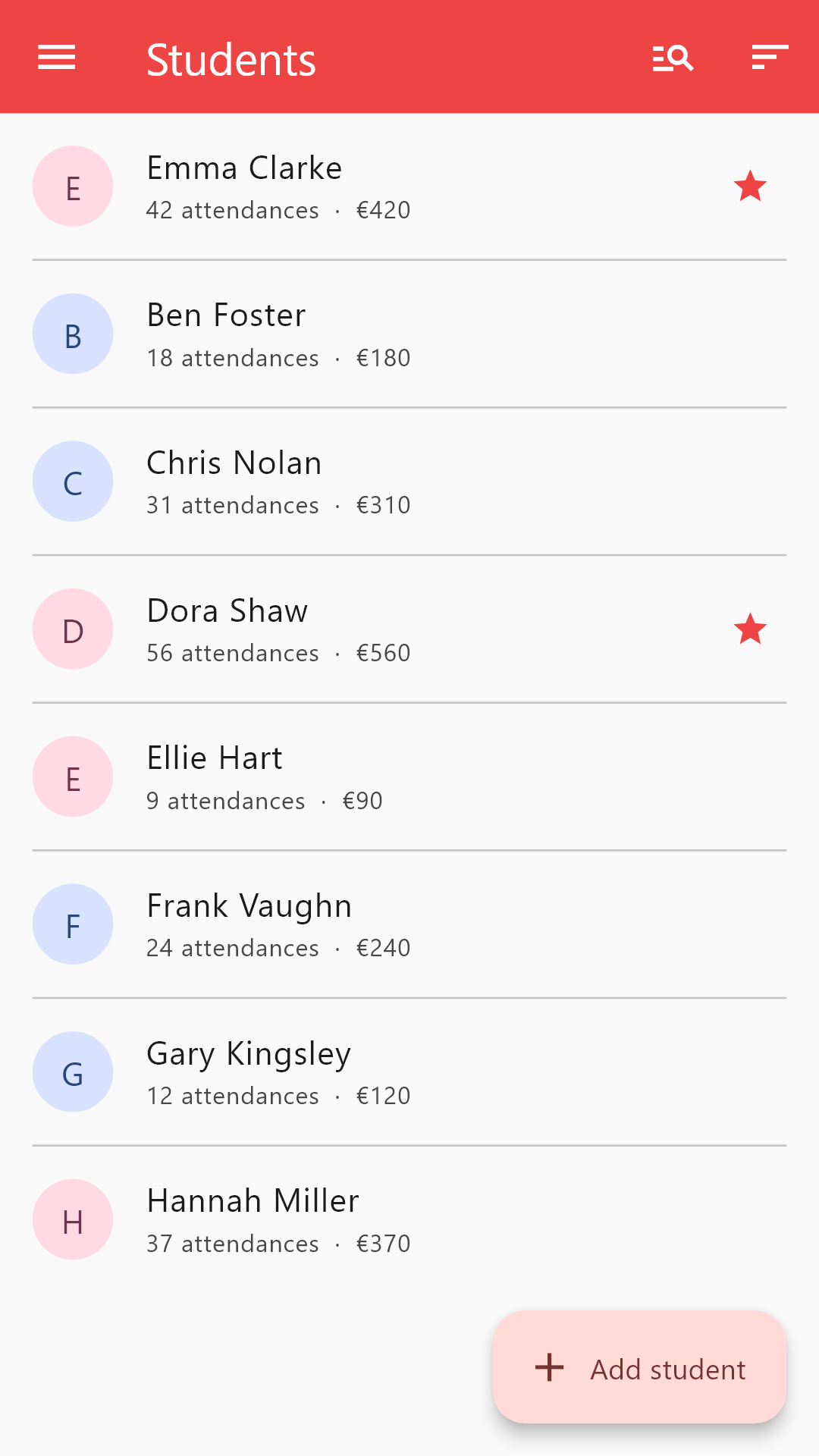
When you add a student to the attendance sheet, the sessions left on their pass go down automatically, and the income lands on the right class type. Nothing to type in afterwards.
- Passes per class type, with session counts and expiry
- The student's profile always shows how many sessions are left and how long the pass is valid
- Stats show you, class type by class type, how much each of your classes brings in
Run-out passes become debt, not goodwill
When the pass runs out of sessions, the next class shows up as money owed, so nothing slips past you.
- If the pass also has an expiry date, its unused sessions can be forfeited automatically at midnight on the last day, and the debt stays Pro
- The next payment automatically settles any debt that has built up
Payments & money owed
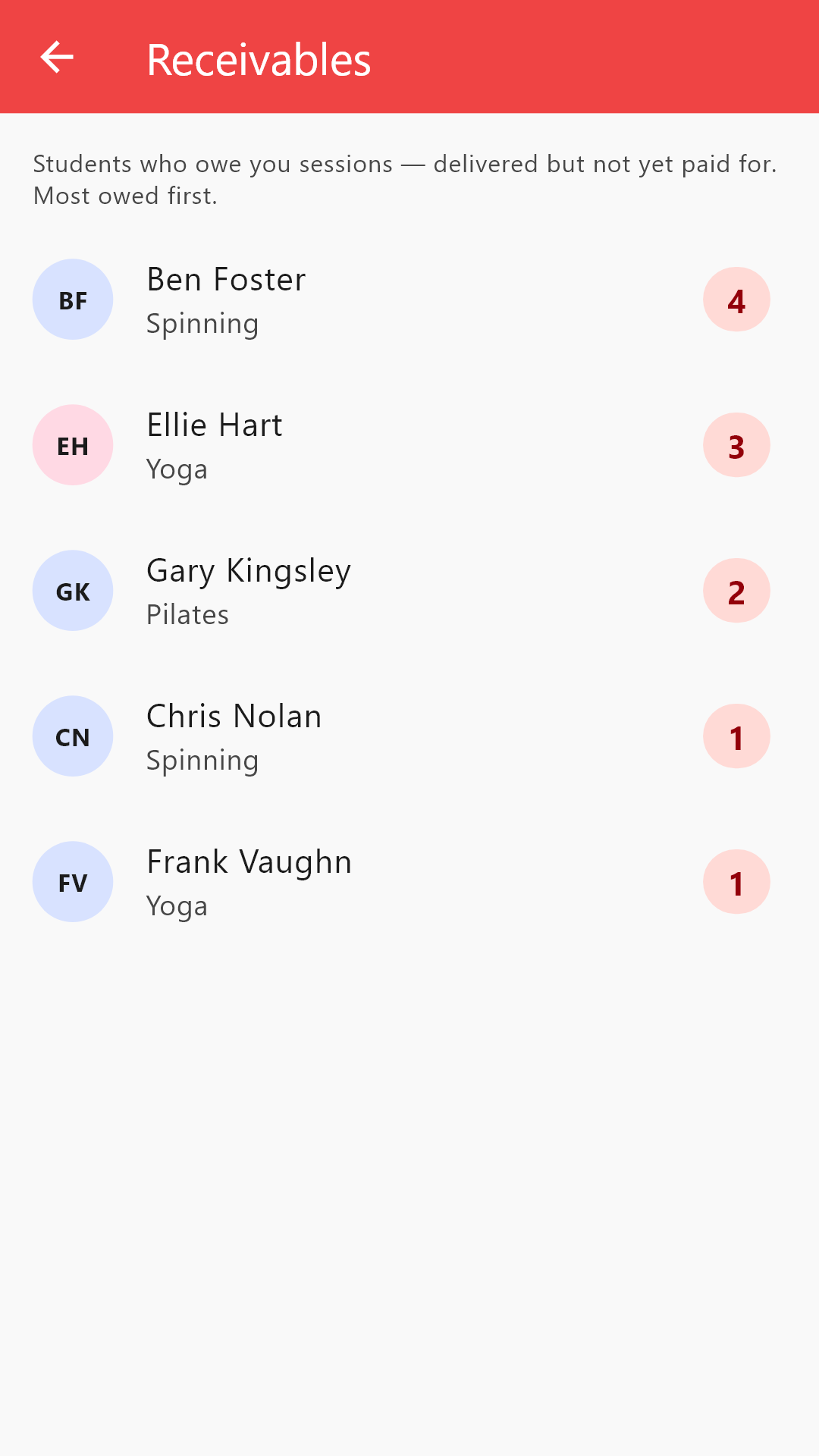
Know who owes you, before they're standing in front of you.
You record who paid what: cash, transfer, anything. Attendlr adds the sessions to the right pass, books the income on the right class, and keeps a live list of who's behind and who's paid ahead. No more scrolling through chat history to reconstruct a payment.
- Record a payment from the profile or straight from the attendance row
- Reusable pass types with price, sessions and validity Pro
- The owed list: every open debt, one tap away Pro
- Attendlr records money, it never touches it. Clients can't pay through the app, by design
A payment adds sessions. An attendance spends one. Below zero is money you'd otherwise have forgotten to ask for.
Client retention
Catch them slipping, before they're gone for good
Losing a regular quietly costs you money every month, and winning a brand-new client costs ads, trials and trust-building. Attendlr turns the attendance you already record into an early warning, while one friendly message is still all it takes.
- Sort the student list by last attendance, so the at-risk names float to the top Pro
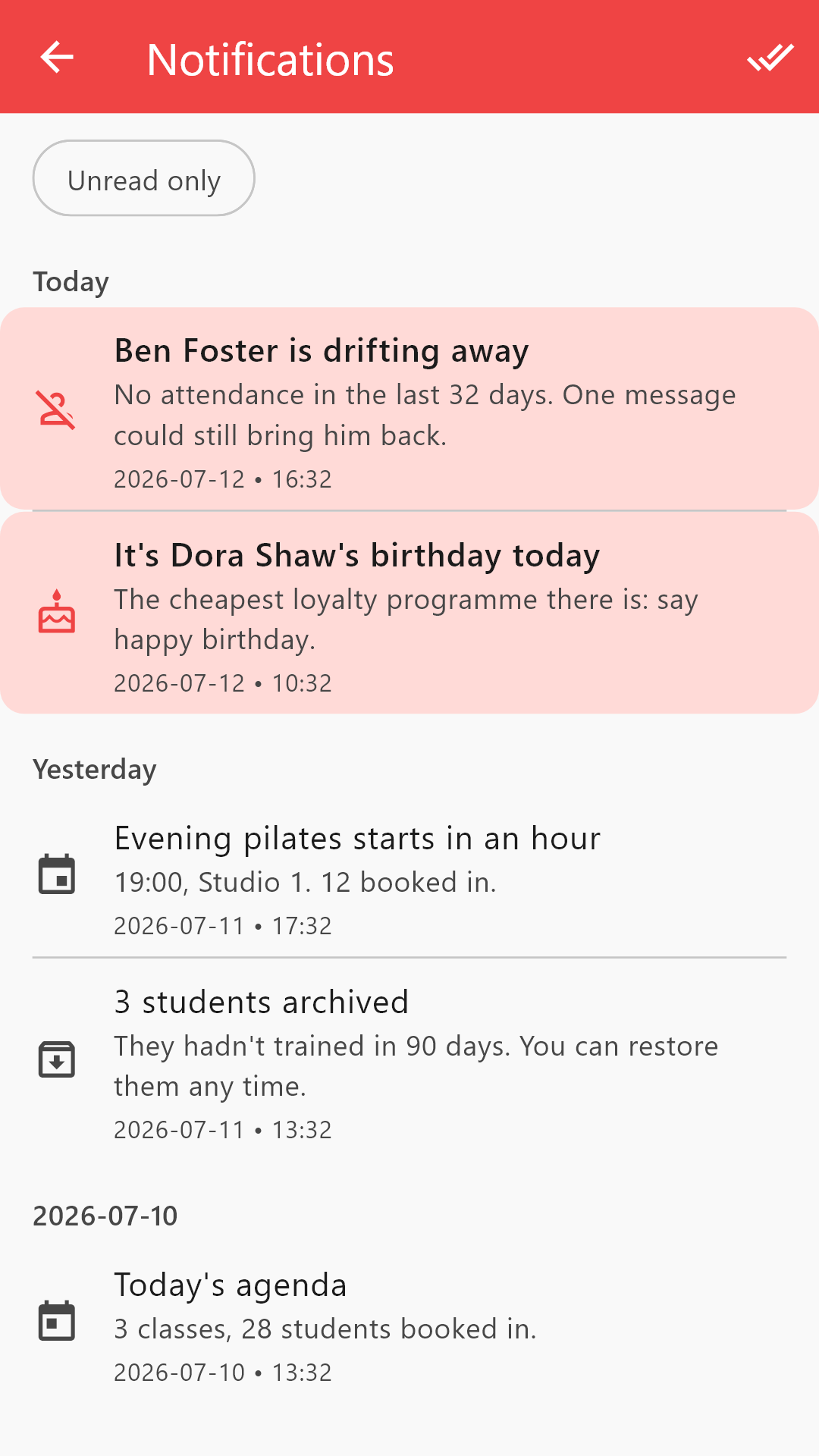
- A push alert when a regular has stayed away too long Pro
- Birthday alerts: the cheapest loyalty programme there is Pro
- Archived students keep their full history, so a comeback picks up where it left off
A returning client costs you one message. A new one costs advertising and weeks of trust-building.
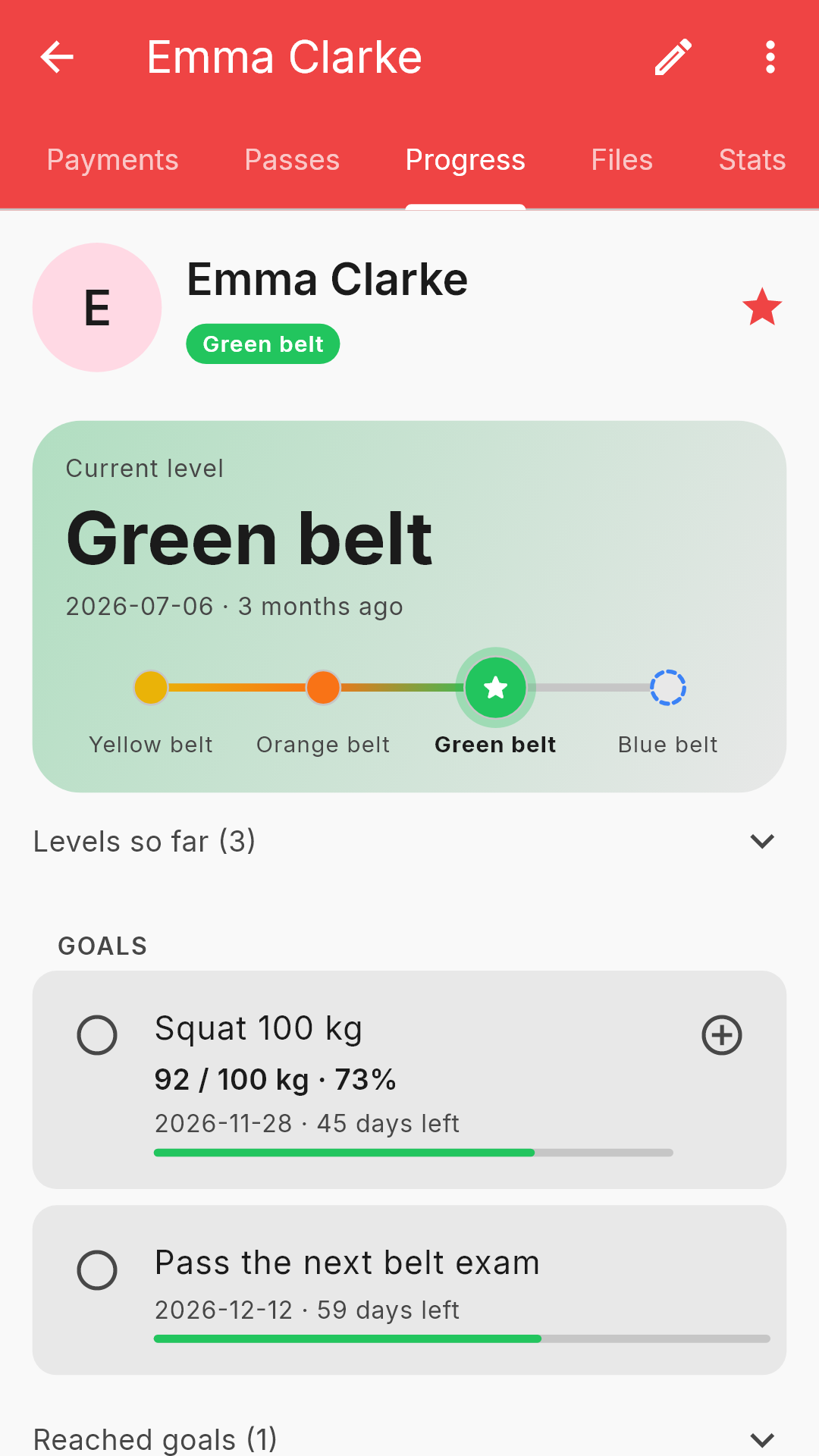
Goals and levels Pro
No need to remember who's where.
For every student you see their goals, results and levels in one place. Next lesson you don't have to recall where you left off: open it, and it's there.
- Goals with a deadline: tick one off with a tap when it's reached, an overdue one turns red
- Measurable goals, like a 100 kg bench press or 90% on a practice test: results on a chart, and the bar shows how far there is to go
- What you logged as an exercise in class is offered as a result, so you never type it twice
- Belts, language levels, any kind of grade: see who moved up when, and filter your student list by them
Money in and out Pro
Not just class fees. The whole business.
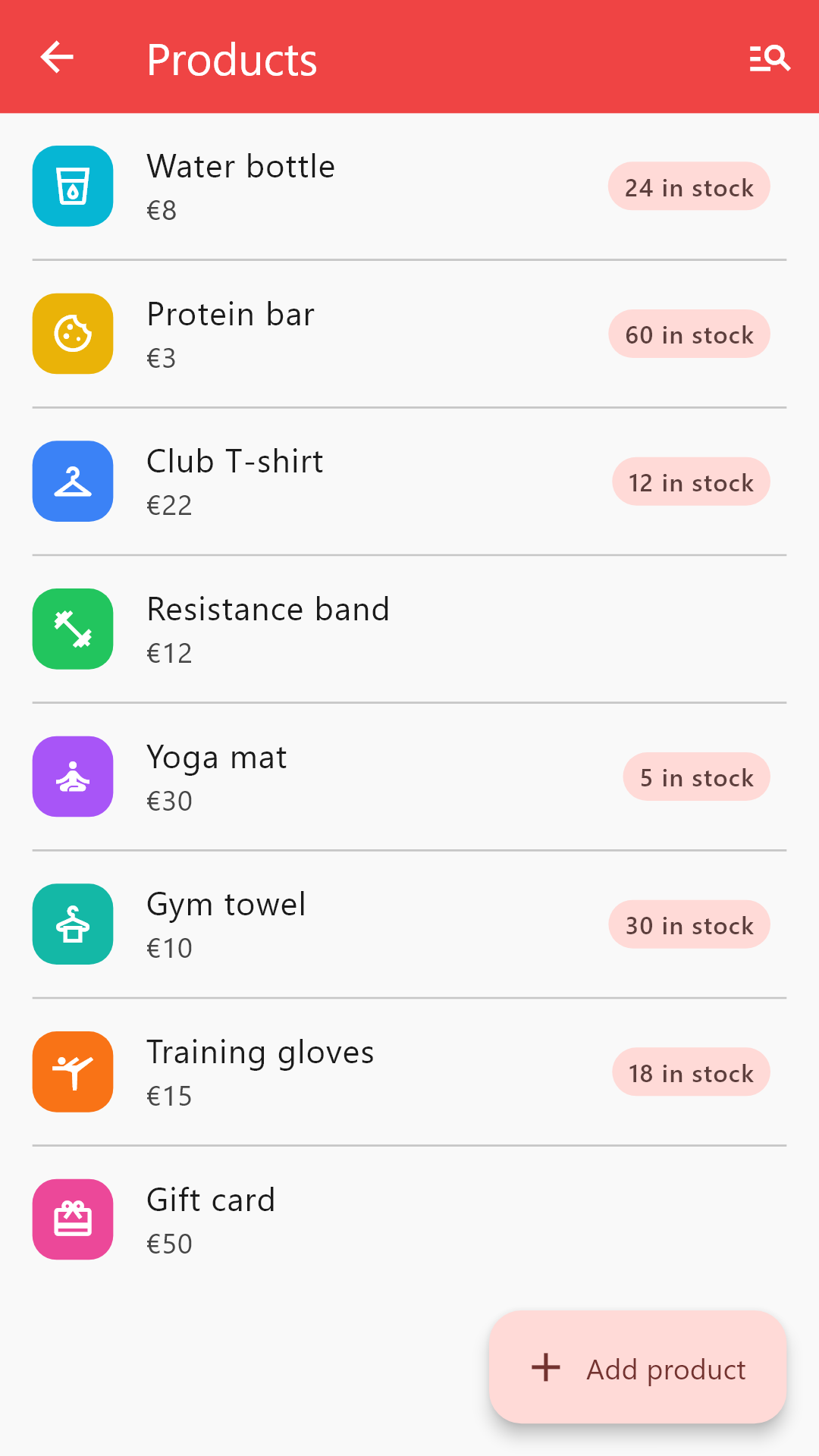
A trainer's money isn't only session fees. Record what you spend and every other way you earn, so your profit is the real number, not a guess that ignores half the picture.
- Expenses, categorised and split across class types
- Other one-off income, not just class fees
- Sell products with stock tracking, every sale booked as income Premium
Stats & profit Pro
Your real numbers, not your gut feeling
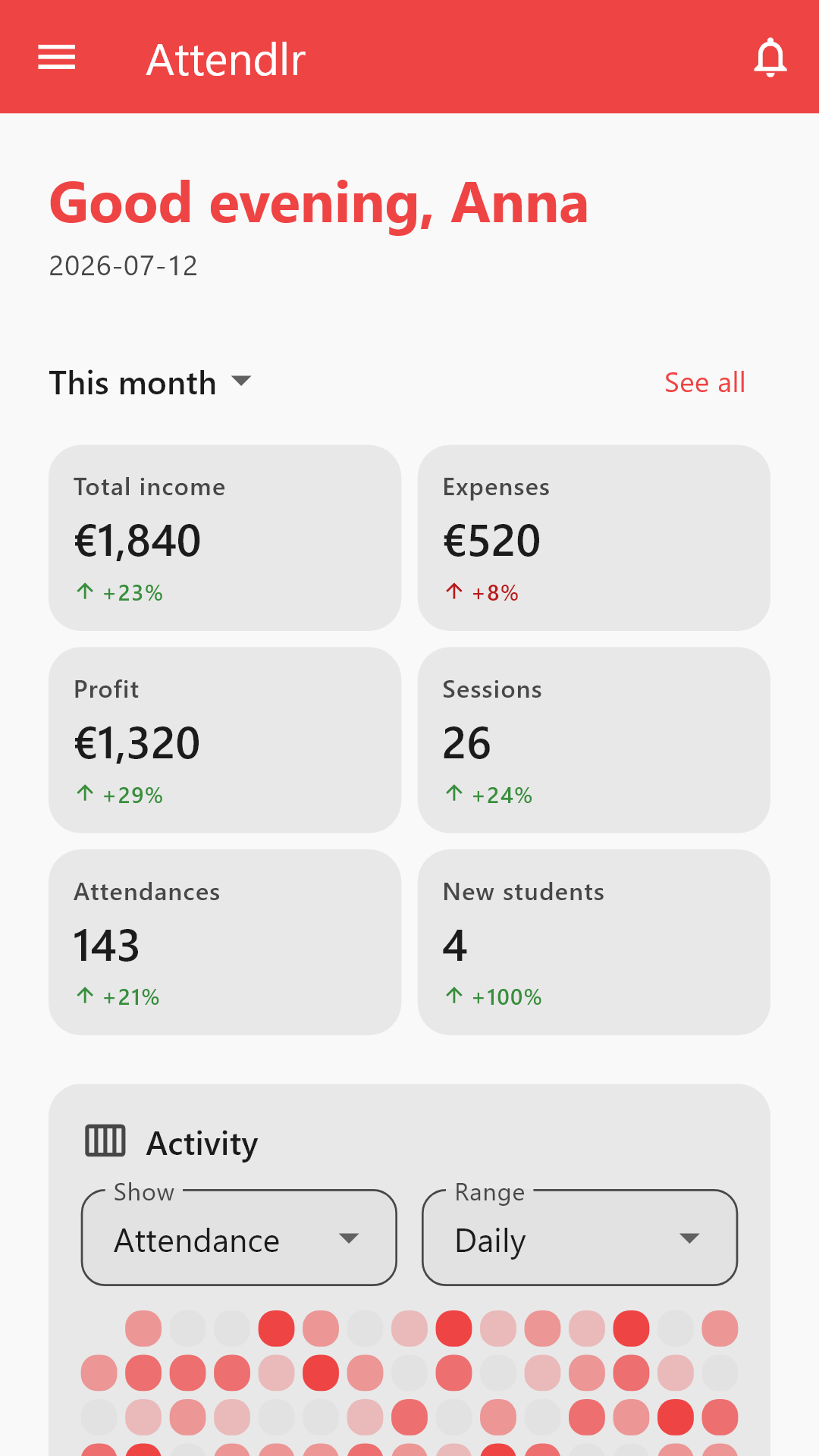
Pick a month. See income, expenses and profit, in total and per class type, next to attendance, class fill, and how many leads became paying students. Compare it with last month or last year, and know whether you're actually growing.
- Around 20 metrics, each with a change arrow
- Income by class type, top-paying students, trend charts
- Expenses split across class types, so per-class-type profit is real
- Client stats on each profile: visits and payments on charts, averages, balance Pro
- Activity heatmap: your sessions, attendance and earnings at a glance Premium
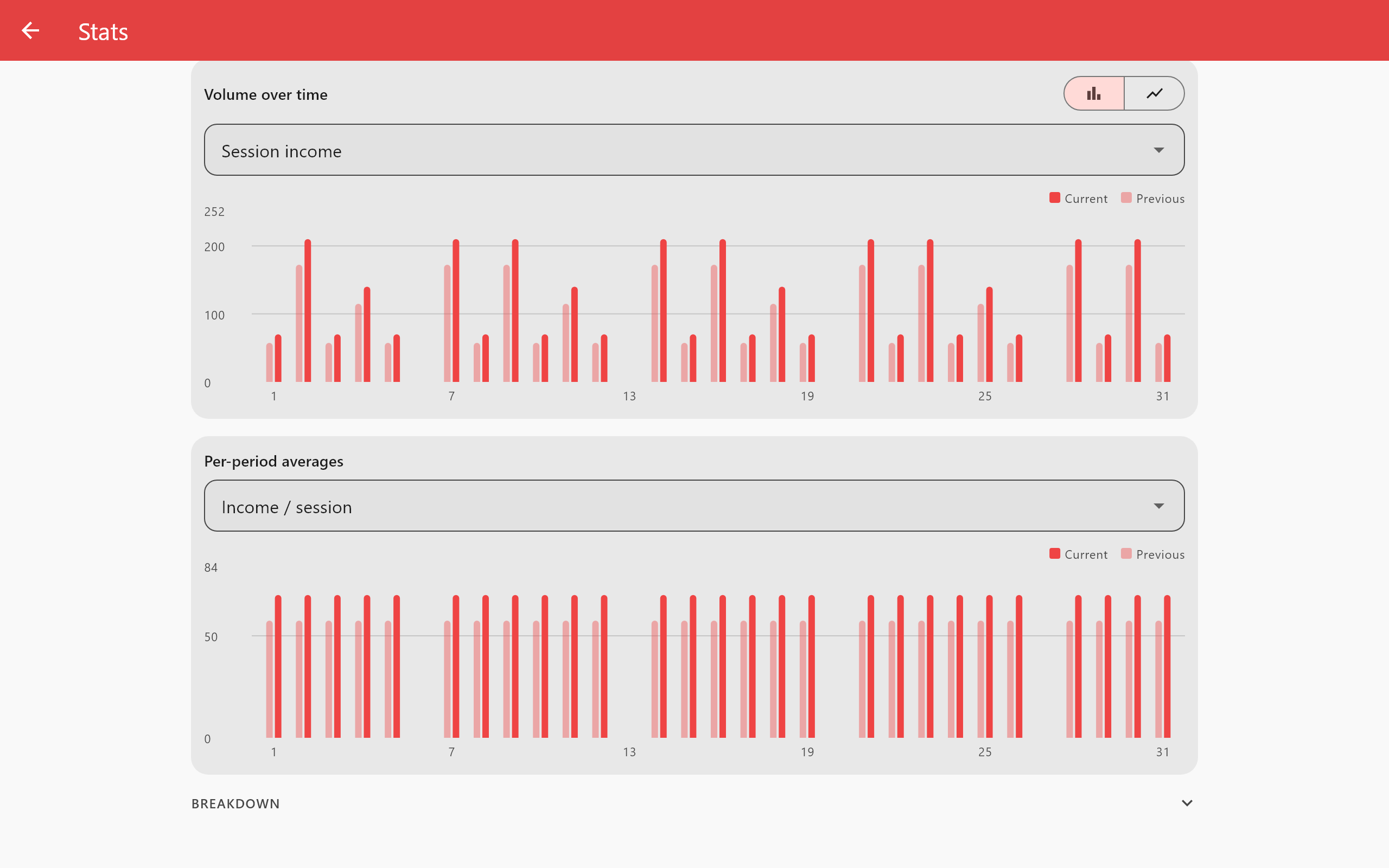
Stats are computed on the server as you work, so the dashboard opens instantly, with 10 students or 1,600.
Automation
It tidies up while you sleep
Every night, Attendlr archives students who quietly stopped coming (reversibly, and never anyone with an active pass or an upcoming booking). On the Pro plan it also closes leads that went cold and zeroes out expired passes. You open the app to a clean list, not a to-do.
- Auto-archive with a review-first bulk flow
- Lead pipeline with one-tap conversion into a student Pro
- Class reminders and a daily agenda, as push notifications Basic
- Nothing is deleted behind your back: archived means hidden, not gone
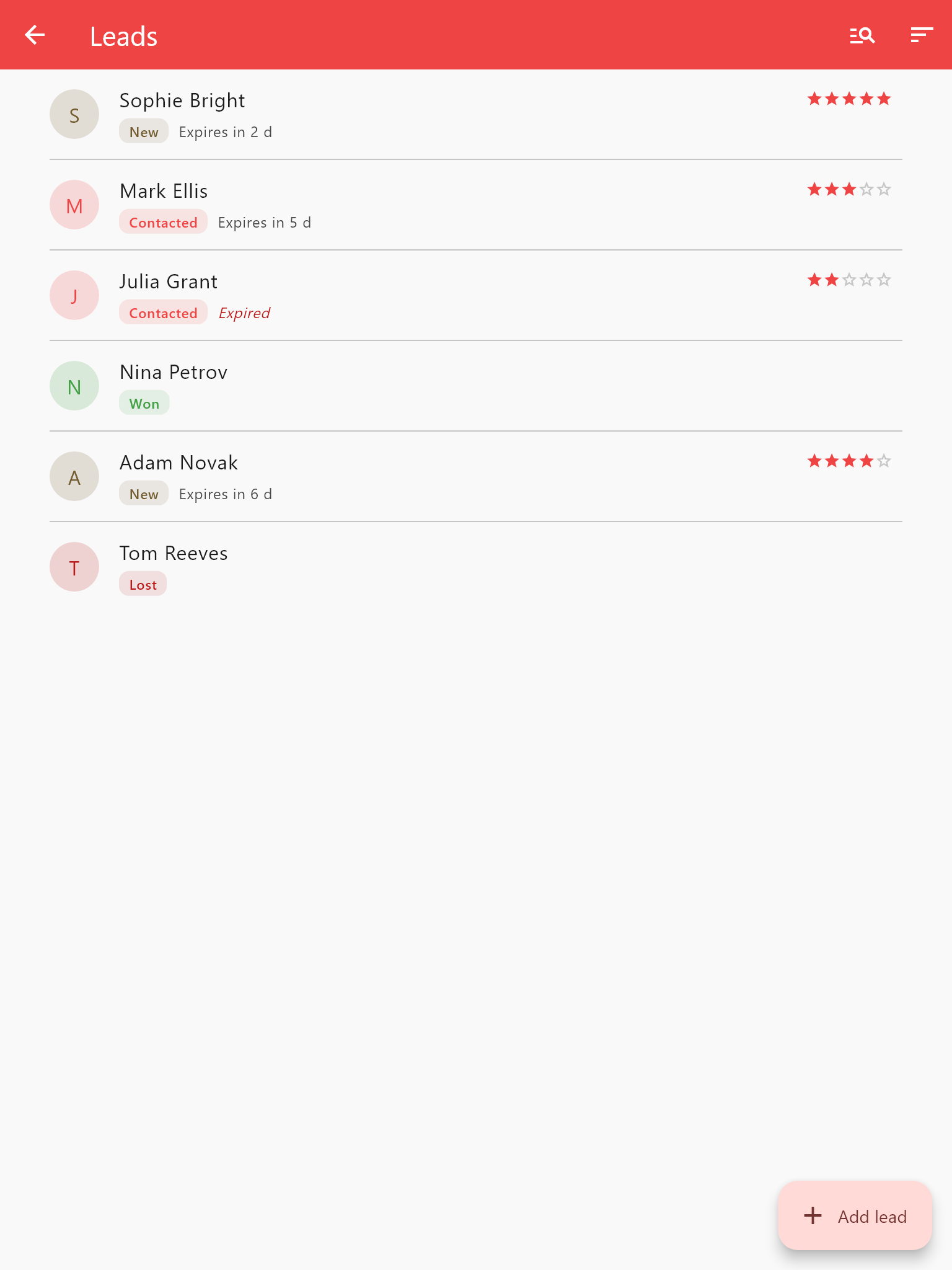
Every lead stays on the list until it becomes a student, or goes cold on its own.
More features
And plenty more where that came from
The tools you use less often, done just as carefully.
Locations & class types
As many as you run, each with its own colour and defaults.
Reminders & inbox Basic
Class reminders, a daily agenda and a notification inbox.
Leads & conversion Pro
Track leads and turn them into students in one tap.
Tags Basic
Label students, sessions and payments, then filter by them.
Contact persons Basic
Guardians and emergency contacts on the student profile.
Message templates Pro
Write it once, it fills in with the student's details, and you send it from your own email, SMS or WhatsApp app.
Exercises Pro
Your own exercise library and a workout plan on every session, in kg or lbs.
Notes Pro
A few lines per student after every session: what you did and what comes next, shown as a timeline on their profile.
Goals and levels Pro
Goals with a date or a target value, like a 100 kg bench press, and levels with your own tags, like B1 or Blue belt. The Progress tab shows the whole path.
Files Pro
Photos and PDFs in one place, such as homework or a training plan. Upload once, attach to as many students as you like. 512 MB of storage on Pro, 5 GB on Premium.
Calendar Basic
Your whole schedule by month, week or day, with free time and overlaps in plain sight.
Owed & prepaid Pro
See who's behind and who's paid ahead at a glance.
Reports & PDF Premium
Business, class-type and student reports to share or print.
CSV export & import Premium
Export everything; bring your roster in from a spreadsheet.
Activity heatmap Premium
Your momentum, from sessions to earnings, at a glance.
On the gym floor and at your desk
The same account and the same data, live: on your phone during class, in a browser when you do the books.
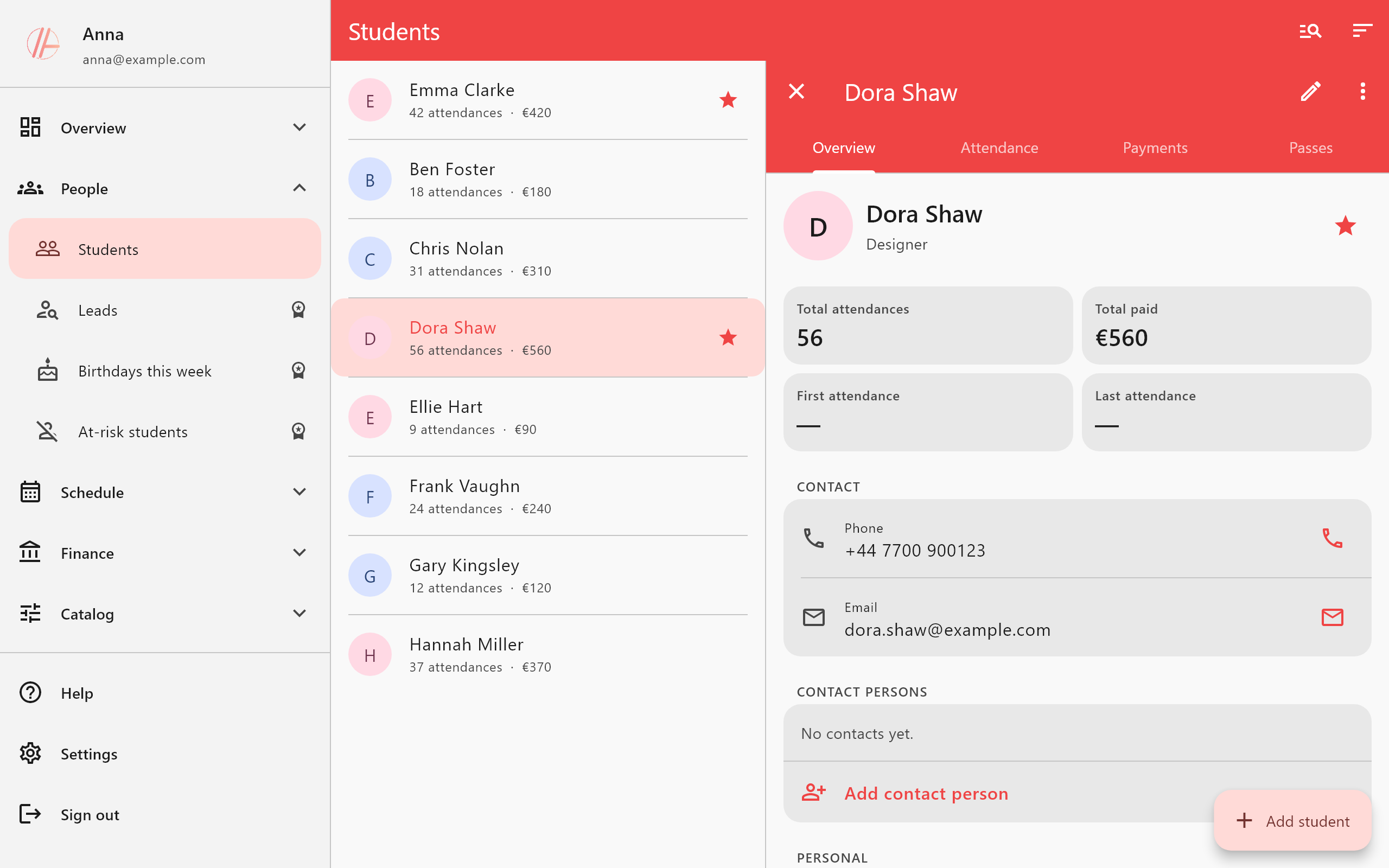
Android, iPhone & web
The app on your phone during training, app.attendlr.com on a laptop afterwards. Changes sync instantly.
Your clients install nothing
No student accounts, no student app, no logins to chase. Attendlr is yours: you record attendance and payments, and your clients never see any of it.
Weak signal is fine
Basements and sports halls: the app rides out short connection drops and syncs what you recorded as soon as you're back online.
Free until it's earning its keep
The free plan isn't a trial. It never expires. Paid plans remove the caps and add the business tools. Cancel any time; your data stays.
Free
- Up to 10 students
- 20 sessions per month
- 2 class types, 1 location
- Attendance, passes, payments
- Duplicate sessions & add them to Google Calendar
- Android, iPhone & web
Basic
- Unlimited students & sessions
- Unlimited class types & locations
- Class reminders & daily agenda
- Notification inbox
- Month, week & day calendar
- Recurring sessions
- Quick attendance: copy a roster from your last 10 sessions
- Contact persons on the student profile
- Tags on students, sessions & payments
- Email support
Pro
Most popular- Everything in Basic
- Stats dashboard & charts
- Home dashboard: stats at a glance
- Expenses & profit dashboard
- Who owes you / who paid ahead
- Leads & conversion
- Pass types & detailed pass management
- Attendee breakdown for each session
- Client stats on the student profile
- Birthday & drop-off alerts
- Message templates for email, SMS and WhatsApp
- Files for your students, 512 MB of storage
- Priority email support
Premium
- Everything in Pro
- Product catalogue & sales tracking
- Activity heatmap
- Tunable auto-archive & alert windows
- Lead expiry & lost-lead alerts
- Priority chat support
- Automatic emails to students and leads
- Calendar sync: your sessions in your calendar, automatically
- Advanced reports & shareable PDF summary
- CSV export & import
- 5 GB of storage for Files
Yearly plans are billed once for the whole year; the per-month figure just shows what that works out to. Prices shown are indicative; the price you pay is the one shown in the app, in your own currency, at checkout. Subscriptions are handled through Google Play or the App Store and can be cancelled there at any time. There is no free trial: the free plan is how you try Attendlr.
Privacy
Your data, your rules
Attendlr holds real details about real people you work with. It stays in the EU, it stays yours, and it never becomes anyone else's product.
Stored in the EU
Every record lives in the European Union and never leaves it.
Isolated per trainer
Security rules wall off your account. No other trainer, and no one else, can read your students, payments or notes.
No ads, never sold
Attendlr earns from subscriptions, not from you. No ad networks, no data brokers, no sharing your information.
Delete it all, anytime
Erase your account and every record in it from inside the app, permanently, whenever you want. No email, no waiting.
Questions trainers actually ask
Do my clients have to download or sign up for anything?
No. Attendlr is yours. You record the attendance and the payments; your clients have no accounts, install nothing, and never even see the app.
Can my clients pay through the app?
No. Attendlr records payments, it doesn't collect them. You note who paid what and when (cash, transfer, anything), and the app handles the passes and the debts.
Does it build workout plans?
Partly. On Pro you build your own exercise library and add a workout plan to any session, with that day's sets, reps, weight or time. Its main job is still your clients, your schedule, attendance, passes and your finances, and it's thorough about those.
What's free, and for how long?
The free plan has no expiry. It isn't a trial. Its limits are 10 students, 20 sessions a month, 2 class types and 1 location. The whole core workflow (students, attendance, passes, payments) is included.
What happens if I cancel my subscription?
Nothing is lost. The paid features lock and the free limits apply to new records again, but every student, attendance and payment you've entered stays, and comes straight back if you resubscribe.
Where is my data stored? Is it safe?
In the European Union, isolated per trainer, so no other trainer can access it in any way. You can permanently delete your account and all of its data from inside the app at any time. See the privacy policy for the details.
Can I import my existing list from Excel?
Yes, on the Premium plan. Download the CSV template, fill it from your spreadsheet, and import up to 1,000 students at a time; duplicates are skipped, never merged. On the other plans you add your students by hand (about half a minute each, and a name alone is enough to start; everything else is optional).
What devices does it work on?
Android, iPhone, and any browser at app.attendlr.com, with the same account and the same data, in sync instantly.
I'm not a fitness trainer. Is it for me?
Yes. Attendlr is for anyone who teaches classes or lessons: yoga, Pilates and dance instructors, swimming and climbing coaches, team and kids' sports coaches, private tutors, language and music teachers, and coaches. At signup you pick what you do, and the app uses your words: as a teacher you see students, lessons and lesson packages, as a coach clients, sessions and packages. That's free on every plan, and you can change it any time in Settings. As a massage therapist, nutritionist, physiotherapist or psychologist you can keep your appointments and payments in it. Don't record health data, such as medical history or therapy notes, in the app.
I teach several class types in several places. Does it cope?
Yes. As many class types (each with its own colour and defaults) and locations as you like, with passes and stats per class type. The free plan fits 2 class types and 1 location; the paid plans have no limit.
What if I lose signal mid-class?
Short drops are fine: what you record is kept and syncs as soon as you're back online.
Put tonight's class in it.
Ten students, one class type, one session. That's all it takes to see the difference. Free, no card, no clock.